Griddo vs. Drupal: From a Content Creator's Perspective
Drupal scores 3.5 out of 5 on ease of use. What that means for whoever publishes every day, and what changes with Drupal Canvas.

Key Takeaways
- The figure that sums up the problem: Drupal scores 4.2 out of 5 on Capterra, but its specific ease-of-use subscore is 3.5. The aggregate hides exactly what matters to whoever publishes every day.
- Not an impression, a pattern: 50% of recent TrustRadius reviews describe the interface as unintuitive, and a senior editor at The Home Depot sums it up: 'I would only recommend Drupal for developers, not for editorial purposes'.
- Drupal Canvas changes part of the story: it is genuinely open source and already the default builder. What it does not cover is design system governance, which Acquia keeps in Site Studio, a paid add-on.
If you’re a content writer or digital marketing professional, you know what the struggle is like. You have good ideas for your website, but as soon as you log into your CMS you’re met with a maze of technical jargon. It’s a common problem if you work with a system like Drupal: powerful, but with a backend built by developers for developers.
That’s the impression. Now the data, because in this case there is some.
What its own users say
Drupal scores 4.2 out of 5 on Capterra. A good mark. But look at the specific ease of use subscore and the figure drops to 3.5. That gap between the aggregate and real usability is wider even than WordPress’s, and it isn’t accidental: it measures exactly the distance between what a CMS can do and how comfortable it is to do it.
TrustRadius points the same way. In its review synthesis, 50% of recent reviewers describe the interface and ease of use as unintuitive, “often requiring extensive technical knowledge”. And the named, attributed quotes are consistent. A senior corporate content editor at The Home Depot (June 2025, rated 5 out of 10) puts it bluntly:
I would only recommend Drupal for developers or programmers. I would not recommend it for editorial purposes.
A communications strategist at a non-profit (December 2024) titles her review “Not recommended for teams without developers”, and describes how they ended up migrating.
Let’s state the obvious: none of this makes Drupal a bad product. It’s a CMS with multilingual support in the core, genuinely granular permissions and a security record far above WordPress. A 4.3 out of 5 on Gartner Peer Insights isn’t handed out. What this data says is something more specific: authoring is not where Drupal shines.
Day to day
- The learning curve: a simple task like adding a page can mean navigating “nodes”, “taxonomies” and “view modes”, terms that mean nothing to a content creator.
- The IT bottleneck: need to change something on the homepage? In a traditional Drupal setup, that usually means opening a ticket. The process is slow and lets content go stale.
- Decision fatigue: the backend is often a sea of fields and options. All that visual noise is tiring before you’ve written a line.
What has changed: Drupal Canvas
This article was published in August 2025 and deserves an honest update, because Drupal has answered this criticism and there’s a fair amount of confusion about how.
Drupal Canvas is genuinely open source. GPL 2.0 licence, hosted on Drupal.org, covered by the Drupal security team, installable via Composer on any Drupal 11.3 onwards. You don’t need to be an Acquia customer, even though Acquia leads its development. Version 1.0 shipped in December 2025, it’s already on 1.10, and it has been the default page builder since Drupal CMS 2.0. It offers drag-and-drop visual editing on its own component library.
It’s a real step forward. Dries Buytaert himself puts it in perspective with welcome candour: it “helps us catch up with other page builders more than it helps us leap ahead.”
The useful question for a university communications team isn’t whether Canvas exists, but what it leaves out. And what it leaves out is precisely the layer that stops twenty faculties ending up with twenty different websites: design system management and brand governance. Acquia deliberately keeps those in Site Studio, a paid add-on on Acquia Cloud, and has stated they’ll stay there because they are “features that Drupal Canvas will not support”.
Translated into what affects you: visual editing is now free; the design governance that keeps it coherent is not.
How Griddo solves it
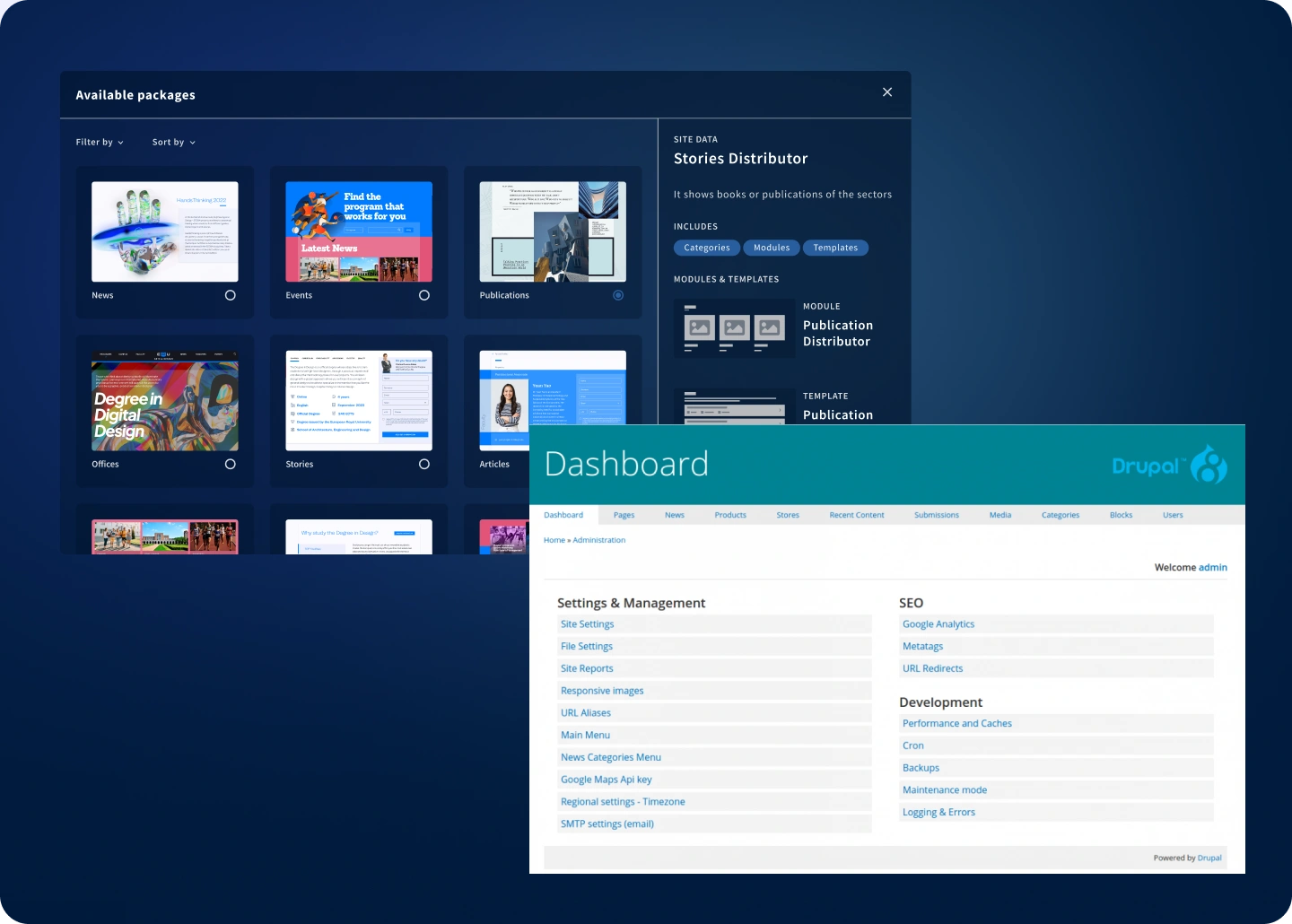
- Visual editor with live preview: add, move, configure and remove modules with no technical jargon. Griddo Live Preview shows the final result as you work, at any breakpoint.
- Real autonomy: update a programme, publish a news item or launch an event without waiting for IT.
- Focused components, not infinite ones: a limited, highly flexible set of components that guarantee brand consistency. No more endless options; just the right ones.
- The design system is built in: the Embedded Design System is part of the platform and ships on every plan. It isn’t an add-on.
That last point is what makes the difference at scale. At IE University, the technical team went from spending 40% of its capacity on platform maintenance to 5%. That recovered 35% is, in practice, what stops standing between your idea and its publication.
If you’re in the middle of the decision
This article looks at Drupal from the seat of whoever publishes. If what’s in front of you is a full platform evaluation —architecture, real three-year cost, academic system integrations, SLA, deployment model— we’ve broken it down feature by feature, with cited sources, in the full Griddo vs. Drupal comparison.
And if Drupal is just one of the options on the table, our comparison of university CMS platforms in 2026 covers the ones that appear most often on shortlists.